iOS App · iPhone and iPad
Inspection Readiness App
Every inspection standard, severity call and correction deadline, plus a live score estimator, in an iPhone and iPad app that works fully offline.
One of three native iOS apps I designed and built for the housing inspection market between July and October 2026. They follow NSPIRE, HUD's physical inspection standard for public housing, multifamily and voucher properties, which began replacing the older standards in 2023.
- Platform
- iPhone and iPad (iOS 17+)
- Who uses it
- Property managers and owners preparing for inspections
- Status
- Feature-complete. App Store launch pending the client's content sign-off.
- Code
- 1,962 lines of Swift, 17 automated tests
The problem
In 2023 a new federal inspection standard replaced the old protocol. The areas, the severity model, the correction deadlines and the scoring math all changed. A national housing inspection consultancy had a reference app that described the retired standard and could no longer be updated.
Property managers needed a current, offline reference showing what an inspector will cite, how severe it is, how fast it must be fixed and what it will cost their score. The consultancy needed a credible app that also leads users to its pre-inspection services.
What it does
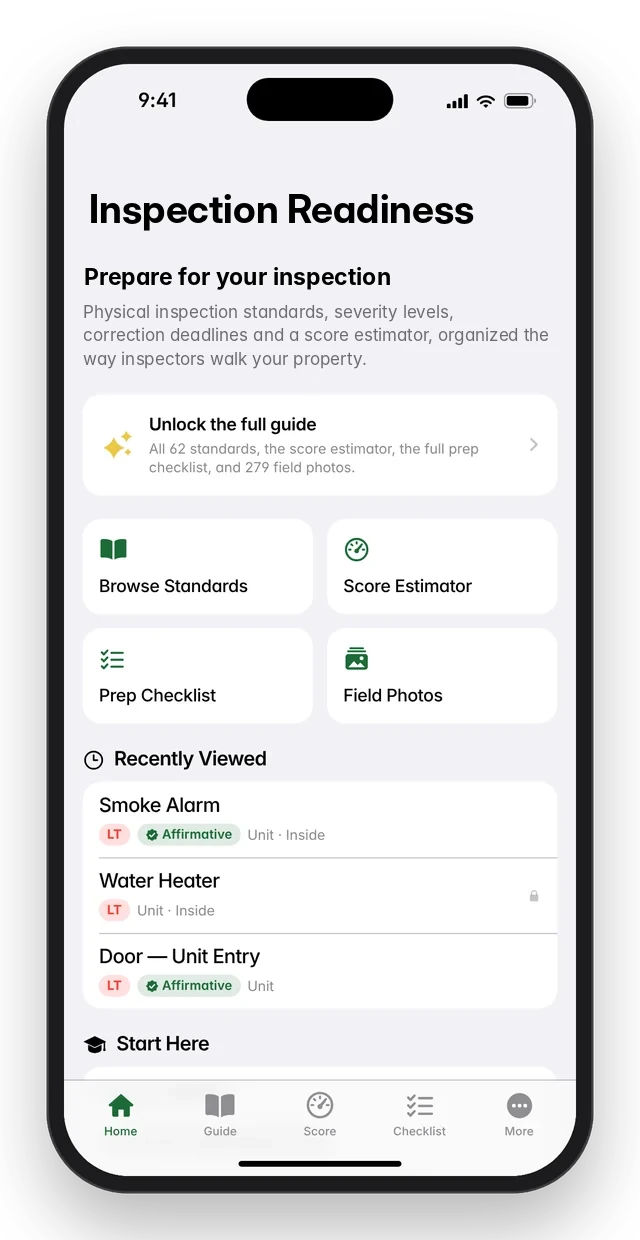
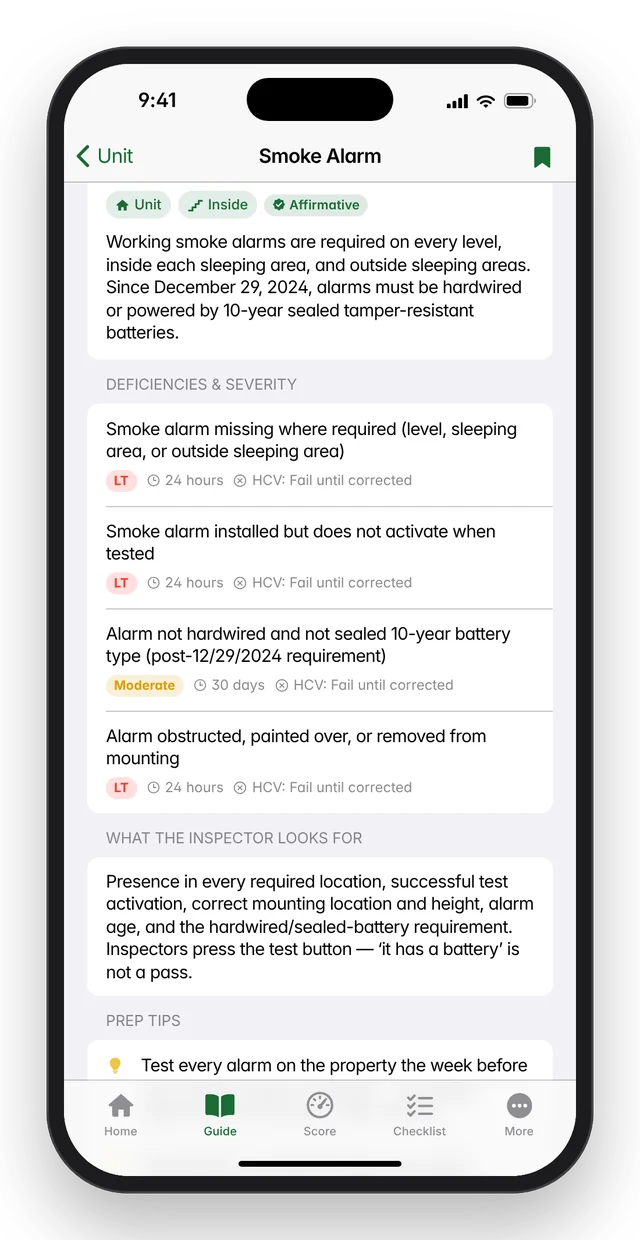
- Standards guide: 62 inspection standards organized by area and category, with 159 deficiency definitions, each showing its severity, correction deadline and voucher (HCV) pass or fail.
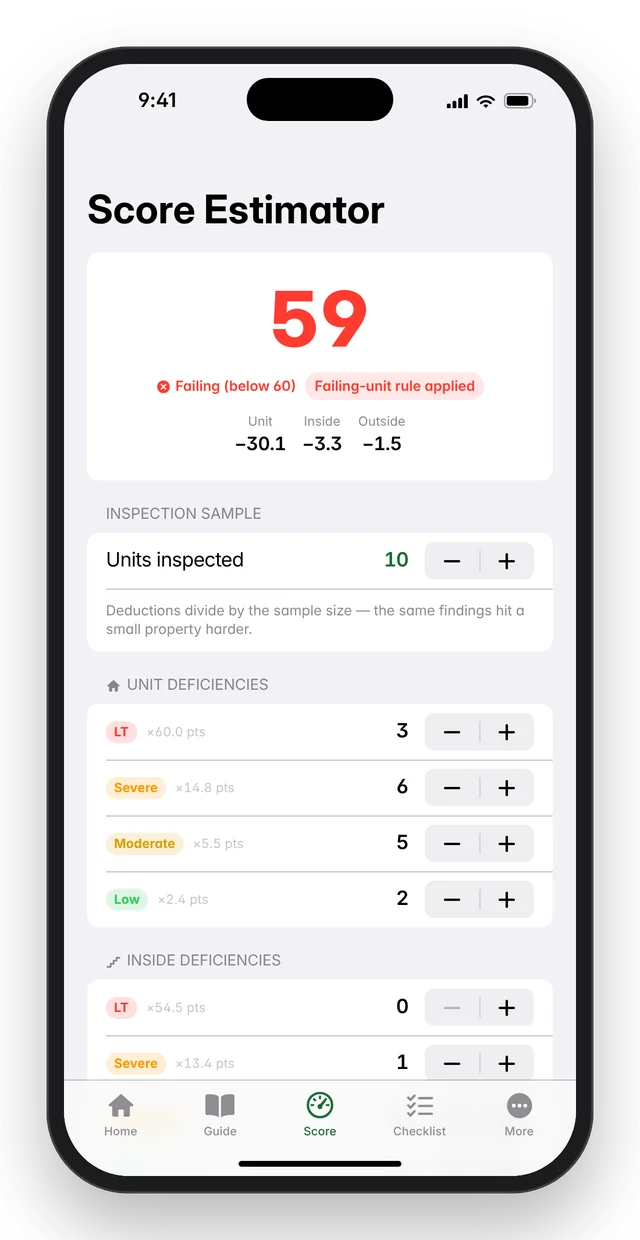
- Score Estimator: enter the sample size and expected findings, and the app projects a 0 to 100 score live from the standard's 12 published deduction values. It also applies the failing-unit rule and shows whether the score passes (60 or more) or falls in the range that triggers an enforcement referral.
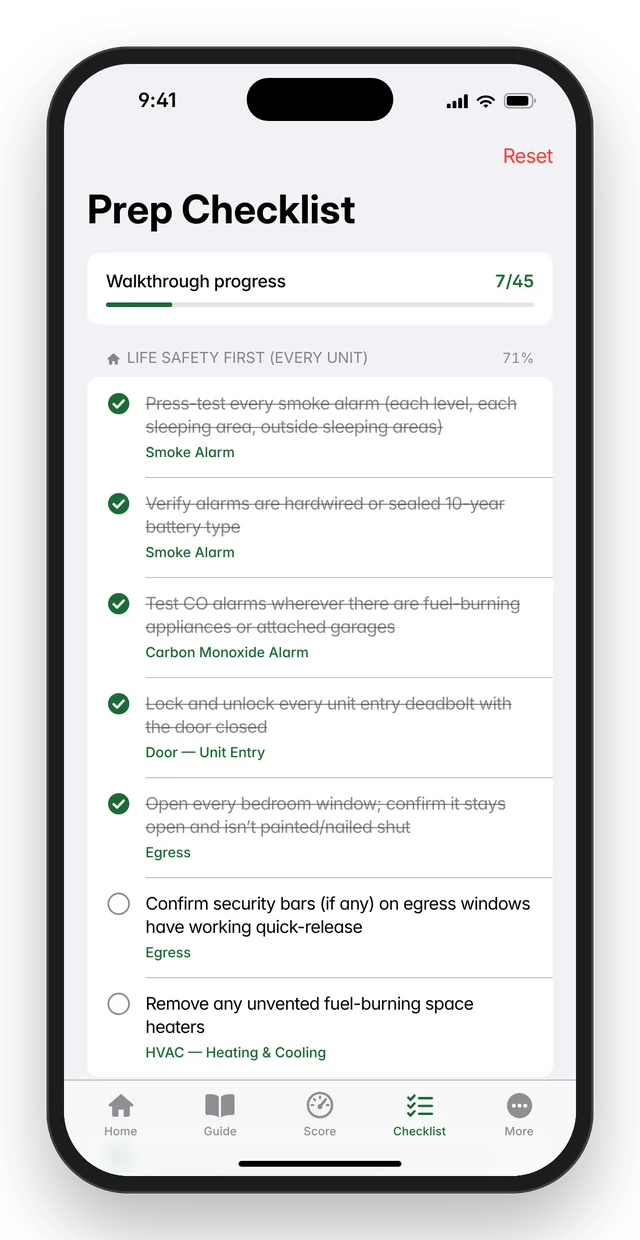
- Prep checklist: a 45-item pre-inspection walkthrough, life-safety first, with progress tracking and links to each standard.
- Field photo library: 279 real defect photos by area, with pinch-to-zoom, matched automatically to related standards.
- Search, bookmarks and recently viewed, plus seven free overview chapters on what changed and how scoring works.
- Designed as a free download with a one-time unlock (no subscription) through StoreKit 2, and a consultation request screen that generates leads for the consultancy.
Screens
Screens shown with sample data. They're mockups redrawn from the real app layouts, and every property, unit, person and inspection number in them is made up.
How it's built
- Native SwiftUI for iPhone and iPad with a five-tab layout and three @Observable stores for content, the user's library and purchases.
- Content is data, not code. The guide ships as bundled JSON with typed models, so a content update is an edit to the data file, not a code change.
- Scoring engine written as a pure, tested Swift module with no UI dependencies.
- StoreKit 2 purchase handling with verified transactions, restore and a cached entitlement so the app opens unlocked instantly.
- Fully offline and private: the guide, all photos and the scoring logic ship in the app. No account, no analytics, no ads and no networking code; Apple handles purchases.
StackSwift 5, SwiftUI, Observation, StoreKit 2, Codable JSON content, XCTest, Xcode 16, iOS 17+. No third-party dependencies.
Engineering highlights
- The official scoring model as a tested engine. Unit tests encode the published worked example and the edge cases of the failing-unit rule.
- Checked against a real system. One row of scoring values, first derived from the federal notice, was corrected after comparing it with a production score report. All 12 values now match.
- Rescued the best of an older app with no source code. About 300 photos were extracted from the original guide document, and 279 usable ones were kept and labeled by area.
- Built for expert sign-off. Uncertain severity calls carry review notes in the data, so an inspector can verify content without reading code.
- Beta-friendly purchases. TestFlight and sandbox builds unlock the full guide for testers and reviewers, while production builds keep the paywall.
By the numbers
| Measure | Value |
|---|---|
| Inspection standards / deficiency definitions | 62 / 159 |
| Prep tips | 84 |
| Prep checklist | 45 items in 5 sections |
| Field photos | 279 |
| Scoring deduction values | 12, matched to a production score report |
| App code and tests | 1,962 lines of Swift, 17 automated tests, no third-party dependencies |
Status
Feature-complete and ready for beta testing. App Store launch is pending the client's content sign-off.
How I build: AI-assisted development
I start from the client's real workflow (their website, their paper form, their old app), write down the requirements and design, and build offline-first against a mock of the server so the whole app can be tested early. I work with Claude Code as an AI pair programmer: it writes code, tests and documents, independent AI reviewers check the code, and I build and ship each release myself. Typical client change requests go from email to a test build in a day or two.