iOS App · iPad
Paperless Quality Check App
A housing authority's five-page paper QC checklist, rebuilt as an offline iPad app with paper-style reports, re-inspection close-outs and trends.
One of three native iOS apps I designed and built for the housing inspection market between July and October 2026. They follow NSPIRE, HUD's physical inspection standard for public housing, multifamily and voucher properties, which began replacing the older standards in 2023.
- Platform
- iPad (iPadOS 17+)
- Who uses it
- Quality-control inspectors and managers at a large public housing authority
- Status
- In use by the housing authority's QC staff through TestFlight since July 2026.
- Code
- 4,873 lines of Swift, 39 automated tests
The problem
A large public housing authority re-checks completed units with a five-page paper quality-control checklist. On paper there was no searchable record of what was found, no way to see which problems recur by property or inspector, and no structured way to confirm repairs before closing a file.
The authority's inspection consultancy wanted a low-cost, standalone iPad tool that works with no signal, produces a report that looks like the familiar paper form, and builds a database for trends, all without depending on any server.
What it does
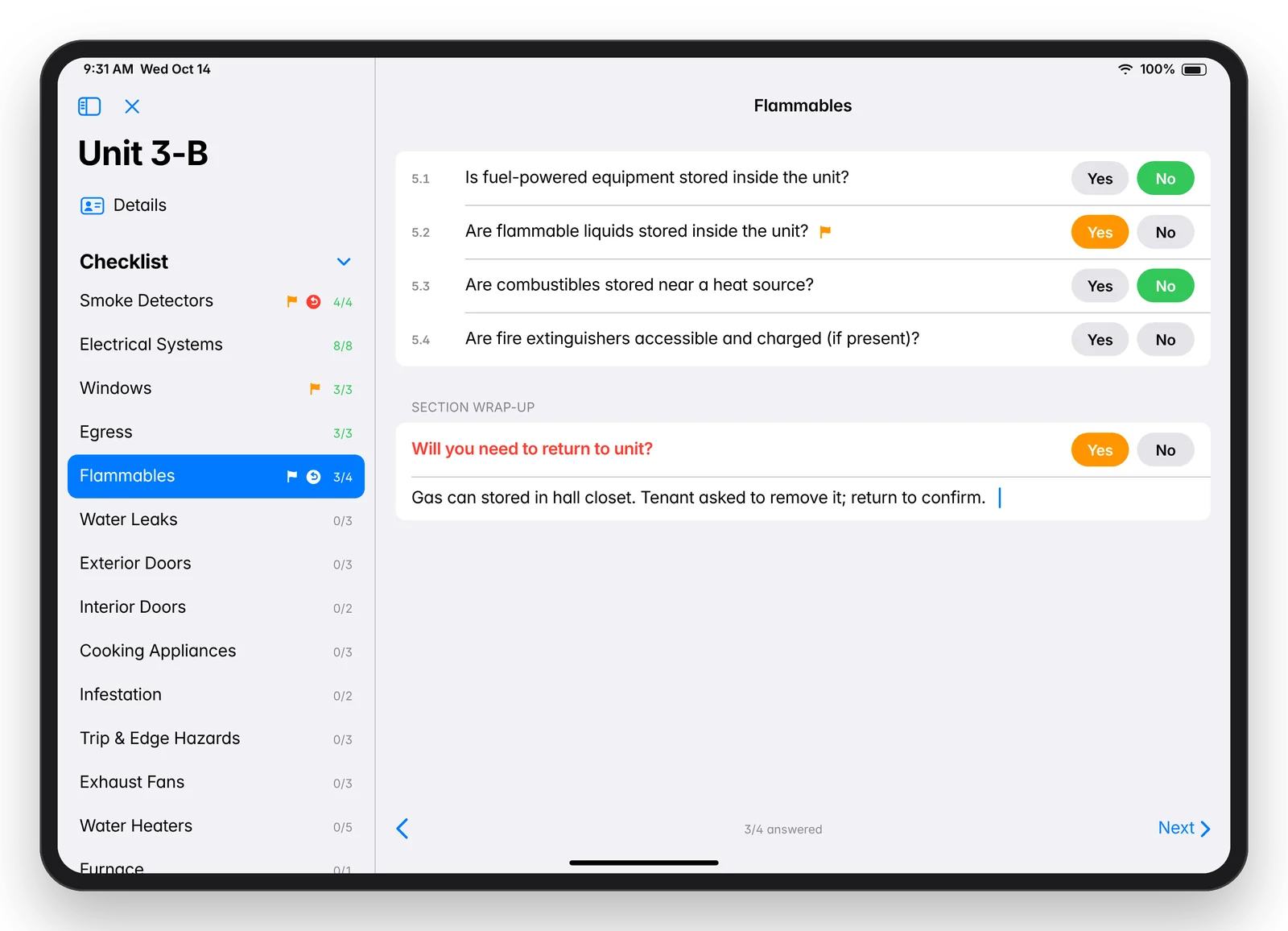
- Digital checklist with 22 sections and 67 Yes/No questions in the paper form's order. Each question has a permanent code (for example 5.1) used on screen, on the report and in exports.
- Automatic flagging. Each question knows which answer means trouble ("Are smoke detectors present?" flags on No, "Are there any exposed wires?" flags on Yes). Flagged answers turn orange in the app and print red on the report.
- Section wrap-ups with a "Will you need to return to unit?" line and notes, an inspector notes field, a pets follow-up, and an N/A choice where the client asked for it.
- Instant saves and drafts. Every tap is saved at once, drafts resume where they left off, and completed inspections lock read-only.
- Tenant signature captured with a finger or stylus.
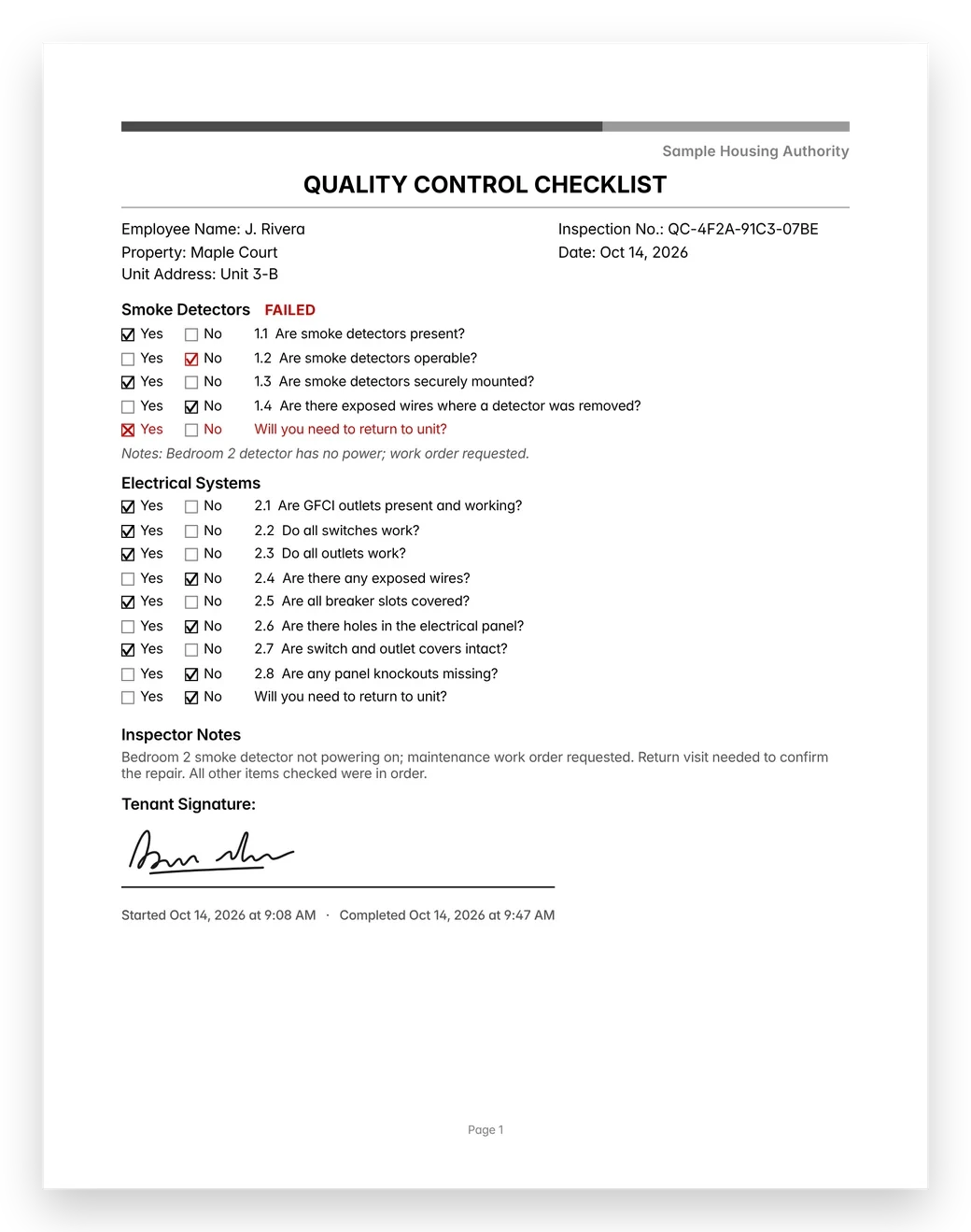
- PDF report that mirrors the paper form, with checkboxes, red flagged answers, FAILED section labels, signature, timestamps and a readable inspection number. Emailed from the iPad to a built-in recipient list.
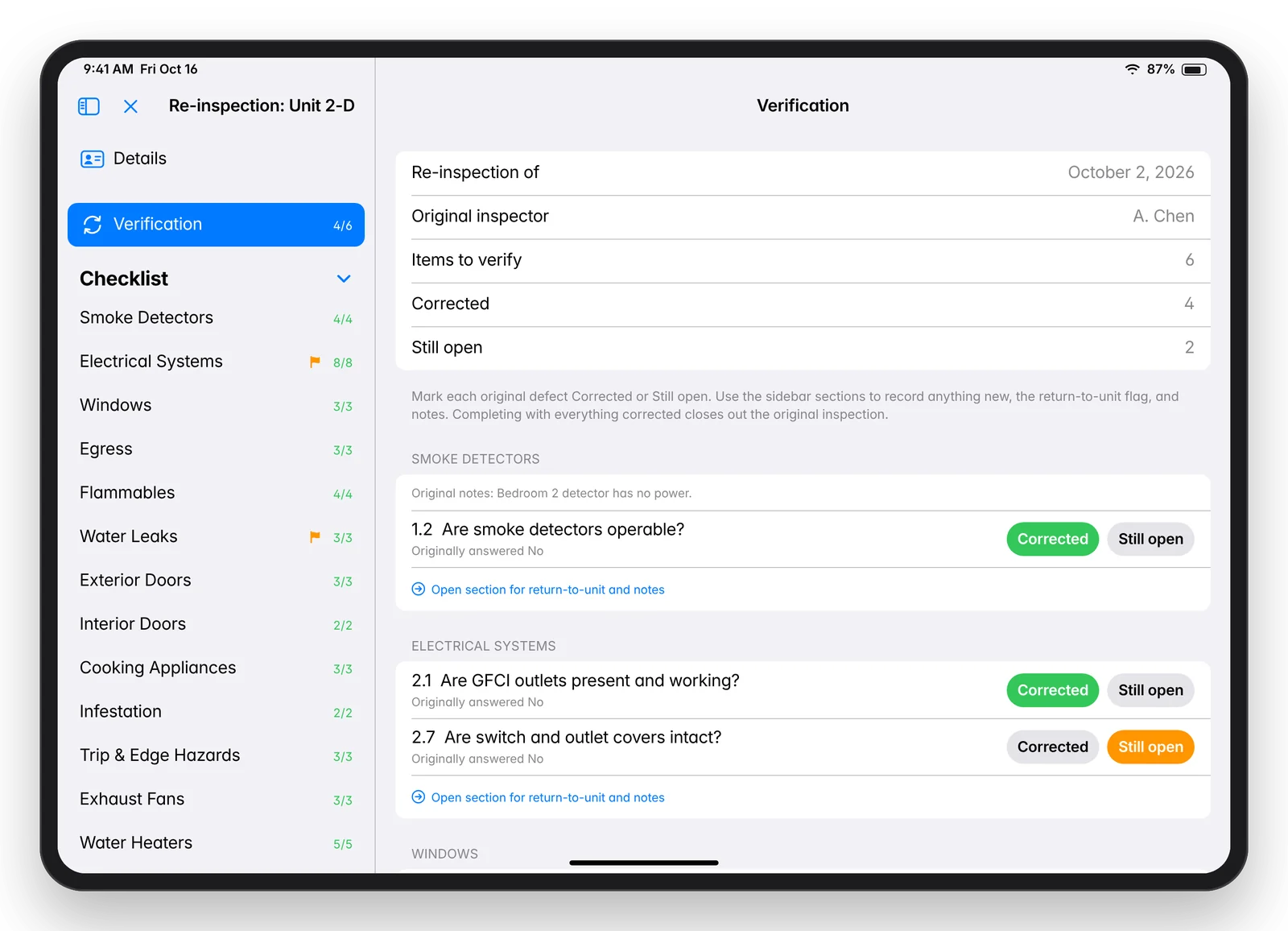
- Re-inspections. A follow-up visit starts pre-filled from the original and opens on a Verification page where each original problem is marked Corrected or Still open. A clean follow-up closes out the original.
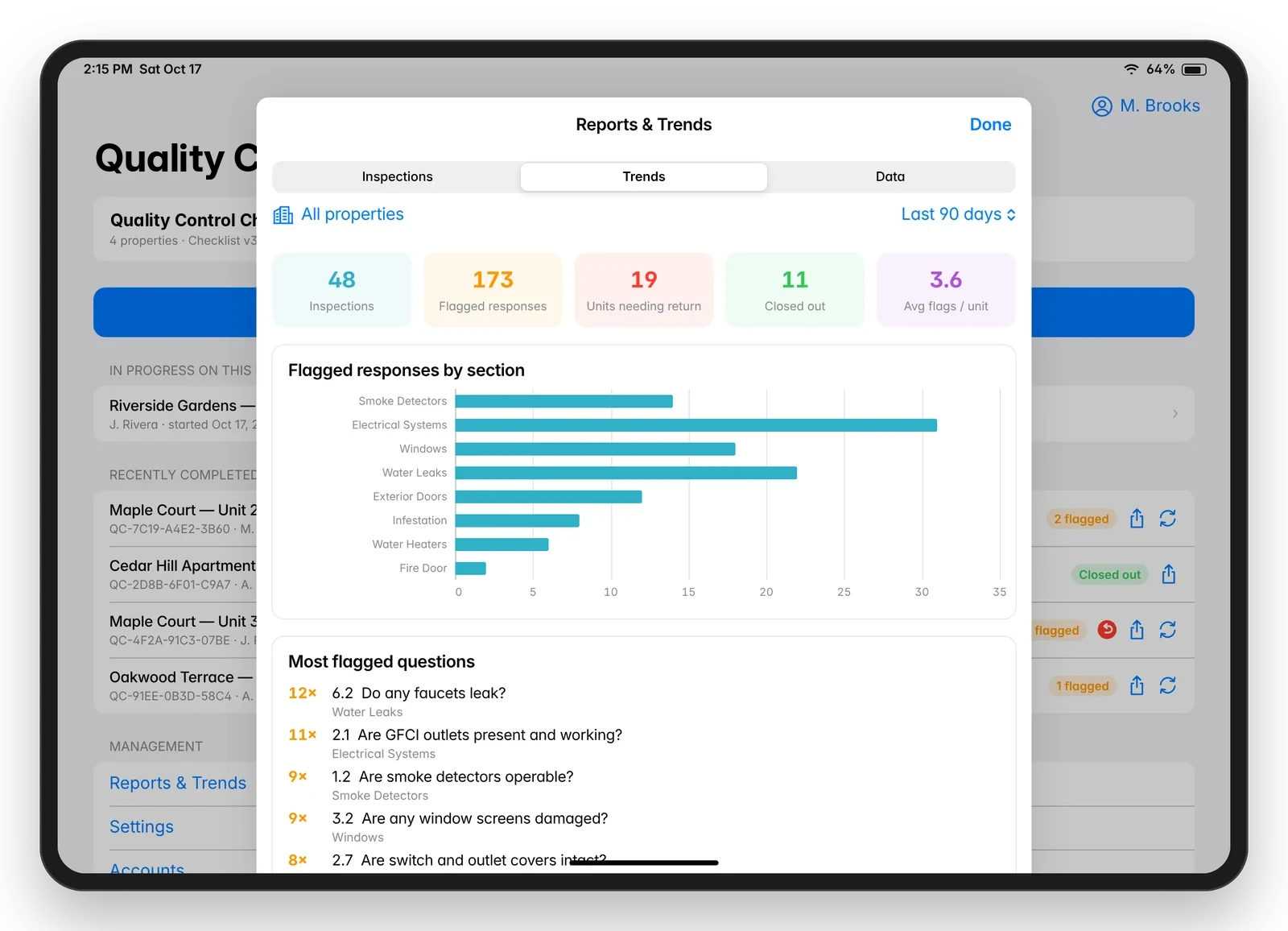
- Management view: browse inspections, see trends by section, question, property and inspector, and export a CSV ready for Excel.
- Accounts managed in the app. The client's manager adds people, resets passwords and turns accounts off without a new build, then shares the changes to other iPads in a signed file.
Screens
Screens shown with sample data. They're mockups redrawn from the real app layouts, and every property, unit, person and inspection number in them is made up.
How it's built
- Local-first SwiftUI app for iPad. The form writes every change straight through to SQLite (GRDB), so there is nothing to save and nothing to lose.
- The form lives in code with permanent question IDs and a "which answer is bad" field on each question. One rule drives highlighting, the red marks on the PDF, trends, re-inspections and close-outs.
- Form versions without breaking history. The checklist has been revised twice. Since the second version every question number is permanent: the Fire Door section was added in October without renumbering anything, and older inspections keep their original sections everywhere: on screen, in reports and in exports.
- A PDF engine written for this form that measures each section and keeps it on one page whenever it fits, so sections are not split across pages.
- Multi-iPad without a server. Inspection data moves between iPads as files that merge by unique ID, so importing the same file twice never creates duplicates. Account files are signed (HMAC-SHA256), and a hand-edited file is refused.
- Database upgrades in place. Each change to the database ships as an additive migration, tested against databases that already hold records, so field iPads update without losing data.
StackSwift 5, SwiftUI, Observation, GRDB 7 (SQLite), Swift Charts, UIKit PDF rendering, MessageUI, CryptoKit, XCTest, Xcode 16, TestFlight, iPadOS 17+.
Engineering highlights
- Re-inspection model. A follow-up is a new record linked to the original, so the original stays as the record of what was found. On the report, original answers print as crosses and new answers as checks, so it still reads correctly in black and white.
- Pre-ship QA audit. No critical findings. Four issues were fixed with regression tests, and the accepted risks were written down.
- Inspection numbers with nothing to sync. Each inspection number is derived from the record's unique ID, so it is the same on every iPad and in every export without a server.
By the numbers
| Measure | Value |
|---|---|
| Paper form replaced | 5 pages, 19 sections, 58 questions |
| Current checklist | 22 sections, 67 questions (third version) |
| First working version | Same day the requirements arrived |
| Server or network dependency | None |
| App code and tests | 4,873 lines of Swift, 39 automated tests |
Status
In use by the housing authority's QC staff through TestFlight since July 2026, with updates shipped from field feedback through October 2026.
How I build: AI-assisted development
I start from the client's real workflow (their website, their paper form, their old app), write down the requirements and design, and build offline-first against a mock of the server so the whole app can be tested early. I work with Claude Code as an AI pair programmer: it writes code, tests and documents, independent AI reviewers check the code, and I build and ship each release myself. Typical client change requests go from email to a test build in a day or two.